
01 Basic JavaScript and the DOM
Learning objectives for the week
Topics covered in this week are:
- JavaScript in a browser
- DOM intro
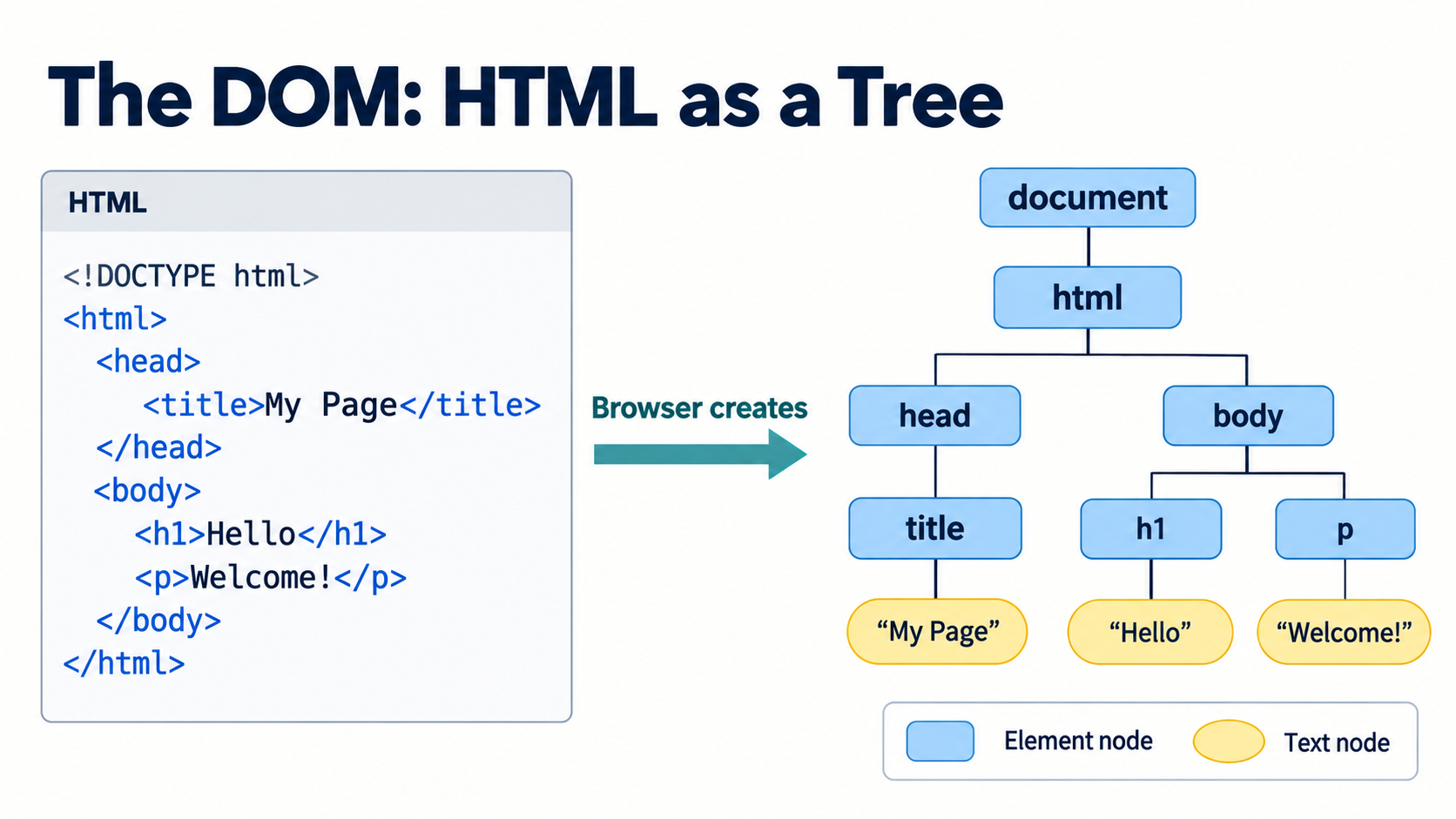
We are going to learn JavaScript basics and DOM manipulation this week.
The browser can be used as the excution environment for JavaScript, but you can also also exexute JavaScript from the command line using Node.js. We will use both environments in this course.
In the browser, JavaScript can be used to manipulate the DOM (Document Object Model) of a webpage. In this way we can create dynamic web pages and do all kind of cool stuff. Everything you probably wanted to do on the 2nd semester. Now it’s time to do it!
So that’s why we start with JavaScript and DOM manipulation. Later in the week we will introduce React, a library for building user interfaces. React is a JavaScript library, so it’s important to understand JavaScript first. And we will learn more and more JavaScript as we go along.
Read these parts of the JavaScript.info topics:
Below are some great tutorials to watch on the sideline. You don’t need to watch these from start to end, but they are great to have as a reference, and to look up specific language constructs. BUT - at least see the DOM manipulation videos. They are the fundamental building blocks for understanding the rest of the frontend course.
Setting up your development environment
- Install Node.js (LTS version)
- Install Visual Studio Code
- Install Live Server extension in Visual Studio Code
- Add codex to VS Code You will need a paid account for this.
Main Exercises
- Exercise 0: Getting started with JavaScript and the DOM
- Exercise 1: Getting comfortable with arrays, filter, map, and forEach
- Exercise 2: JavaScript, DOM Manipulation and Events
- Exercise 3: Javascript Calculator
Part III: Bonus exercises (JavaScript training)